^TB Text Blocks
Wraps a text field inside a box of given width and height.
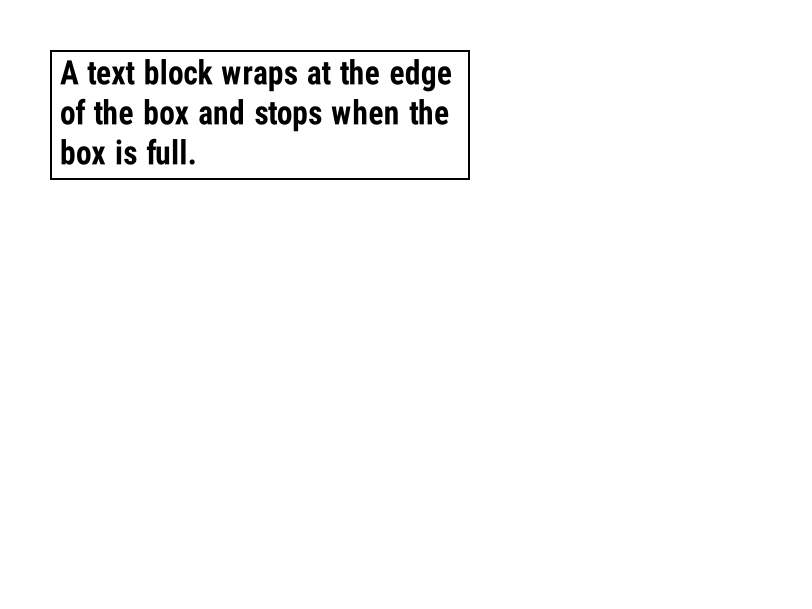
^TB wraps a text field inside a box: ^TBN,400,110 keeps the text within 400 by 110 dots and leaves out the lines that don't fit, unlike ^FB, which overprints them.
Text and fonts · Updated 2026-10-20
Syntax
^TBa,b,c
Parameters
| Parameter | What it does | Values |
|---|---|---|
a | Rotation. | N, R, I, B |
b | Width of the block, in dots. | 1 to the label width |
c | Height of the block, in dots. | 1 to the label length |
Common mistakes
- Unlike ^FB, ^TB has no line count or justification: lines that don't fit the height are not printed.
- A word longer than the block width is cut at the edge.
Example
Edit the code and the label redraws. This is the same engine as the API.
Your file is downloading.
Free, with no daily limit. A free account also saves your designs and gives you an API key.
Questions
What does ^TB do in ZPL?
^TB wraps a text field inside a box: ^TBN,400,110 keeps the text within 400 by 110 dots and leaves out the lines that don't fit, unlike ^FB, which overprints them.
What is the syntax of ^TB?
^TBa,b,c
What should I watch out for with ^TB?
Unlike ^FB, ^TB has no line count or justification: lines that don't fit the height are not printed.