^BA Code 93
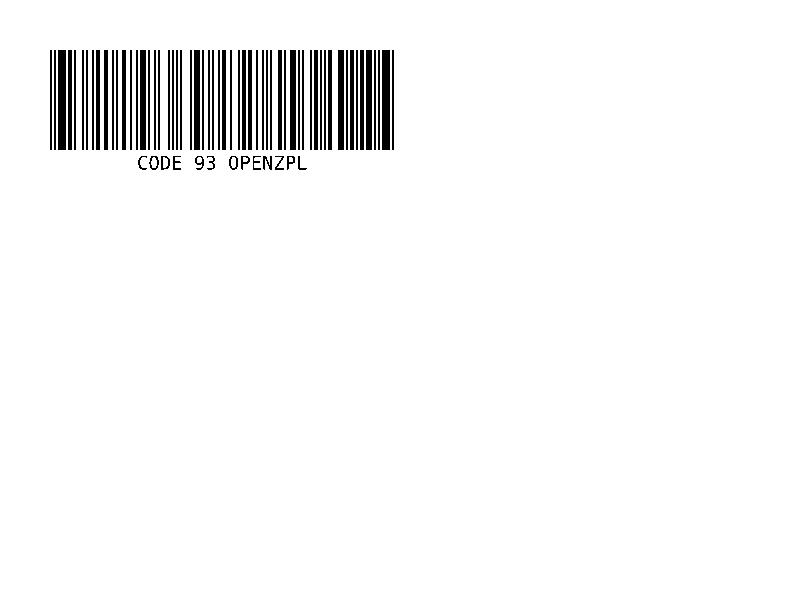
Code 93 barcode: denser than Code 39, with two built-in check characters.
^BA prints a Code 93 barcode, which encodes the same 43 characters as Code 39 in less width and always adds two check characters; ^BAN,100,Y draws it 100 dots high.
Barcodes · Updated 2026-10-20
Syntax
^BAo,h,f,g,e
Parameters
| Parameter | What it does | Values |
|---|---|---|
o | Rotation. | N, R, I, B |
h | Bar height, in dots. | default: ^BY's |
f | Human-readable line. | Y or N; default Y |
g | Put that line above the code. | Y or N; default N |
e | Print the check characters. | Y or N; default N |
Common mistakes
- The two check characters are always encoded; e only decides whether they are printed in the text line.
- Lower-case letters print as capitals; characters outside Code 93's 43 are skipped.
Example
Edit the code and the label redraws. This is the same engine as the API.
Your file is downloading.
Free, with no daily limit. A free account also saves your designs and gives you an API key.
Questions
What does ^BA do in ZPL?
^BA prints a Code 93 barcode, which encodes the same 43 characters as Code 39 in less width and always adds two check characters; ^BAN,100,Y draws it 100 dots high.
What is the syntax of ^BA?
^BAo,h,f,g,e
What should I watch out for with ^BA?
The two check characters are always encoded; e only decides whether they are printed in the text line.