ZPL label is cut off
A ZPL label is cut off when its coordinates were made for a larger label or a higher density than the printer's. A 4 × 2 inch label is 812 × 406 dots at 203 dpi but 1219 × 609 at 300 dpi (12 dpmm); ZPL designed in 300 dpi dots loses about a third on a 203 dpi printer.
2026-10-20에 업데이트됨 · Renders made with the OpenZPL engine
Open in the viewerWhat you see
The right side or the bottom of the label is missing. The part that prints is larger than expected.
300 dpi coordinates on a 203 dpi label
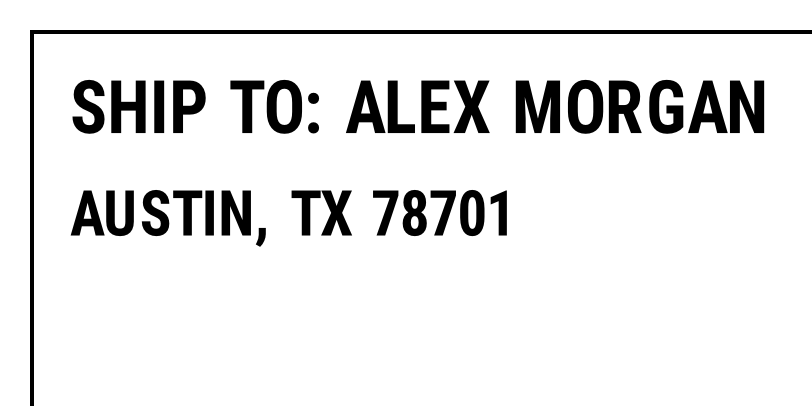
^XA
^FO30,30^GB1158,560,4^FS
^FO70,80^A0N,70,70^FDSHIP TO: ALEX MORGAN^FS
^FO70,190^A0N,60,60^FDAUSTIN, TX 78701^FS
^FO900,330^GB220,220,110^FS
^XZ
Coordinates for 203 dpi
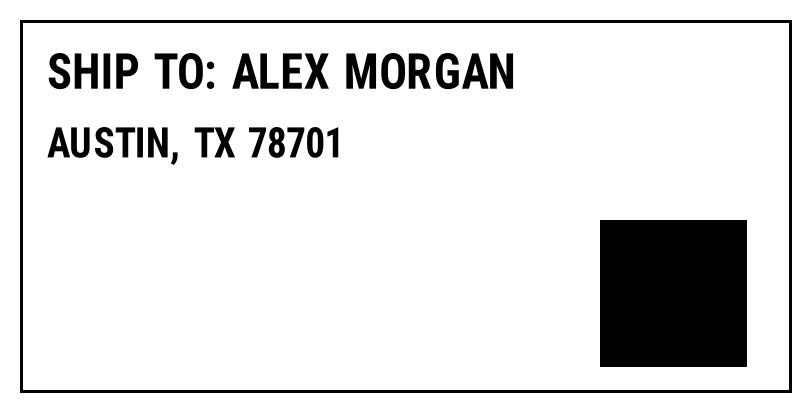
^XA
^FO20,20^GB772,373,3^FS
^FO47,53^A0N,47,47^FDSHIP TO: ALEX MORGAN^FS
^FO47,127^A0N,40,40^FDAUSTIN, TX 78701^FS
^FO600,220^GB147,147,74^FS
^XZ
Why it happens
Every position and size in ZPL is in dots, and a dot's size depends on the printer. The same ZPL renders correctly at 300 dpi:
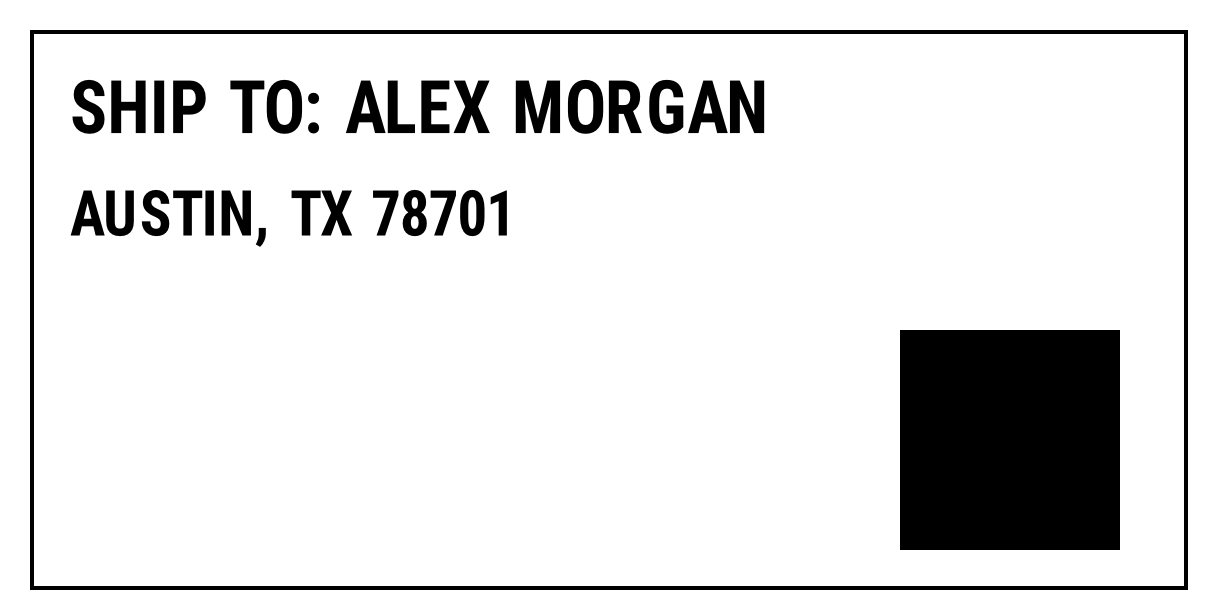
^XA
^FO30,30^GB1158,560,4^FS
^FO70,80^A0N,70,70^FDSHIP TO: ALEX MORGAN^FS
^FO70,190^A0N,60,60^FDAUSTIN, TX 78701^FS
^FO900,330^GB220,220,110^FS
^XZ
The usual causes, from most to least common:
- Designed for another density. The template came from a 300 dpi printer, a designer set to 300 dpi, or a carrier that generates ZPL for 300 dpi. On a 203 dpi printer everything is 1.5 times too big.
- Designed for a larger label. A 4 × 6 template on 4 × 2 stock: everything below 406 dots is outside the label.
^PWsmaller than the content. ^PW sets the print width; anything to the right of it is not printed.^LHor^LSshifts. ^LH moves the origin of every field; a large value pushes the right side off the label.
The fix
Generate the ZPL for the density of the printer that prints it. If your system can ask for 203 dpi ZPL (carriers usually can), do that. If you control the template, keep coordinates in one variable per density, or design at 203 dpi and multiply by 1.5 for 300 dpi.
Put the label size in the ZPL so the printer doesn't use a leftover setting: ^PW812 and ^LL406 for 4 × 2 inches at 203 dpi. The label size tables list the values for each density.
How to check
- Find the largest x and y in the ZPL. If they exceed the label in dots at your density, the label was made for something else.
- Render the ZPL in the ZPL viewer at 203 and at 300 dpi and see which one fits.
- Print the printer's configuration label to see its real density and print width.
If the ZPL fits in the preview at the right size and density but the printer still cuts it, the cause is on the printer: media width, label length calibration or a top/left offset.
질문
How do I know if my ZPL is for 203 or 300 dpi?
Look at the label width: a 4 inch label uses about 812 dots across at 203 dpi and about 1218 at 300 dpi. ^PW values or the largest x coordinates give it away.
Can the printer scale ZPL to its density?
Not in general. ^MU can convert units for coordinates, but fonts, barcodes and images still use dots. Generating ZPL for the right density is the reliable fix.