Open a ZPL file
A ZPL file is plain text, so any text editor opens it, but you only see the commands. To see the label, open the file in a ZPL viewer such as the OpenZPL viewer, which draws it and exports it to PDF or PNG, or send it to a ZPL printer.
Aktualisiert am 2026-10-20 · Renders made with the OpenZPL engine
Open in the viewerSee the label in the browser
- Open the ZPL viewer.
- Click Open file and pick the
.zpl,.prnor.txtfile, or paste its content in the editor. - Choose the label size and your printer's density. Carrier labels are usually 4 × 6 in at 203 dpi.
- Check the preview. Export it as PDF or PNG if you need to send or archive it.
A file with this content opens as the label below:
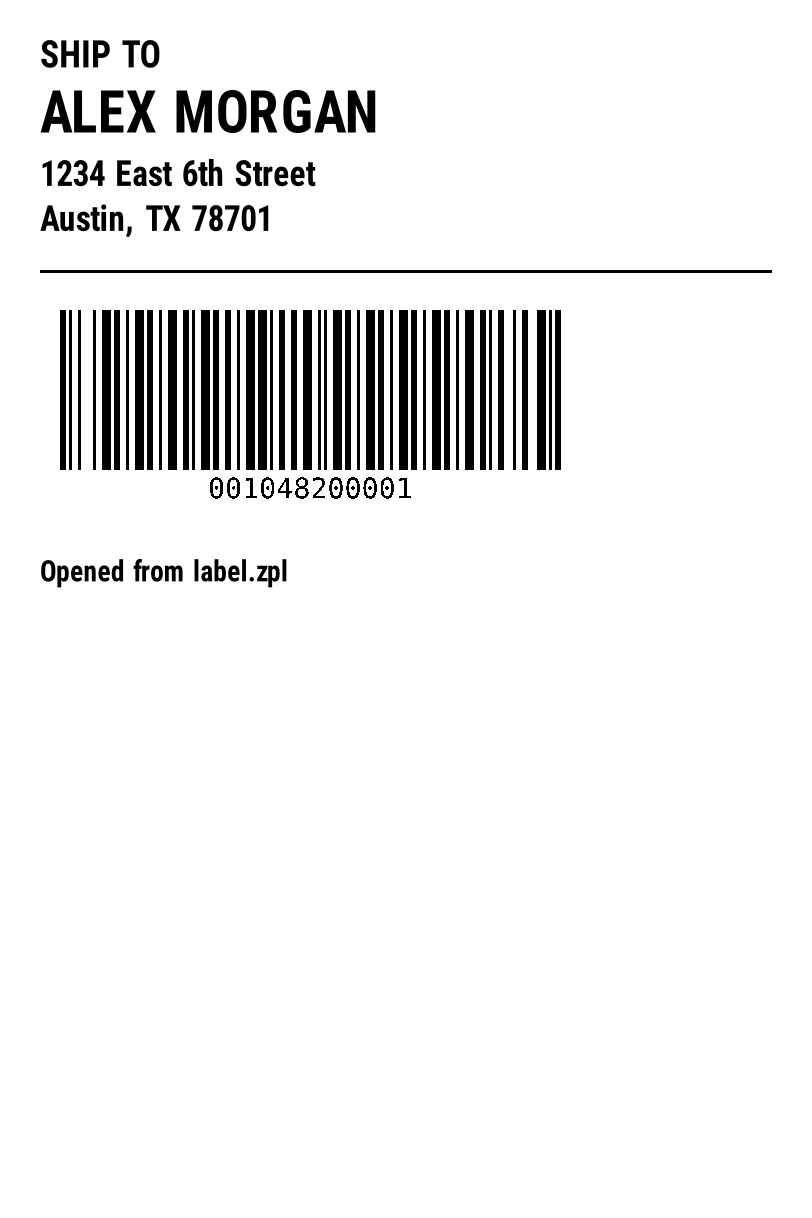
^XA
^CI28
^FO40,40^A0N,36,36^FDSHIP TO^FS
^FO40,90^A0N,56,56^FDALEX MORGAN^FS
^FO40,160^A0N,34,34^FD1234 East 6th Street^FS
^FO40,205^A0N,34,34^FDAustin, TX 78701^FS
^FO40,270^GB732,3,3^FS
^BY3,3,160
^FO60,310^BCN,160,Y,N,N^FD001048200001^FS
^FO40,560^A0N,28,28^FDOpened from label.zpl^FS
^XZ
If a file has several labels, the viewer shows a pager and the PDF gets one page per label.
Read it as text
Notepad, TextEdit or any code editor shows the commands: lines starting with ^XA, ^FO, ^FD and so on. That's enough to change a value, such as an address in a ^FD field, but not to judge the layout. Save it as plain text; a word processor adds formatting the printer won't understand.
When the file looks like garbage
- Long runs of hexadecimal or
:Z64:text are images (^GF), not damage. They render normally. - Binary characters at the start usually mean the file is a printer driver spool file, not ZPL. Ask the sender for the label as ZPL.
.prnfiles can be ZPL, EPL or another printer language. If it starts with^XA, it's ZPL; see what is ZPL.- Strange characters instead of accents are an encoding issue; see accented characters.
Print it
A ZPL printer prints the file as it is: copy it to the printer's share, send it to port 9100 over the network, or use the printer vendor's utility. Without a ZPL printer, convert it to PDF and print that on any printer; see print ZPL as PDF.
Open many files from code
To turn a folder of ZPL files into PDFs, call the API for each one:
for f in *.zpl; do
  curl -s https://api.openzpl.com/v1/printers/8dpmm/labels/4x6/ \
    -H "Accept: application/pdf" --data-binary @"$f" -o "${f%.zpl}.pdf"
done
The free plan allows 3 requests per second; for large folders add a short pause or use an API key.
Fragen
What program opens ZPL files?
Any text editor shows the code. To see the label, use a ZPL viewer such as the OpenZPL viewer, which works in the browser with nothing to install.
Is a .prn file the same as a .zpl file?
Not always. .prn means "print file" and can hold ZPL, EPL or another language. A ZPL file starts with ^XA.
Can I edit the label after opening it?
Yes. Edit the code in the viewer and the preview redraws; then save or export it.