Add an image to a ZPL label
To put an image on a ZPL label, convert it to black and white and send it with ^GF as a field: the image's bytes in hexadecimal (or compressed as Z64), with the byte count and the bytes per row. Each row takes width ÷ 8 bytes, rounded up, and each bit is one printer dot.
Zaktualizowano 2026-10-20 · Renders made with the OpenZPL engine
Open in the viewerA working example
The arrow is a 48 × 48 dot bitmap. Every hex digit is 4 dots, F is four black dots and 0 four white ones:
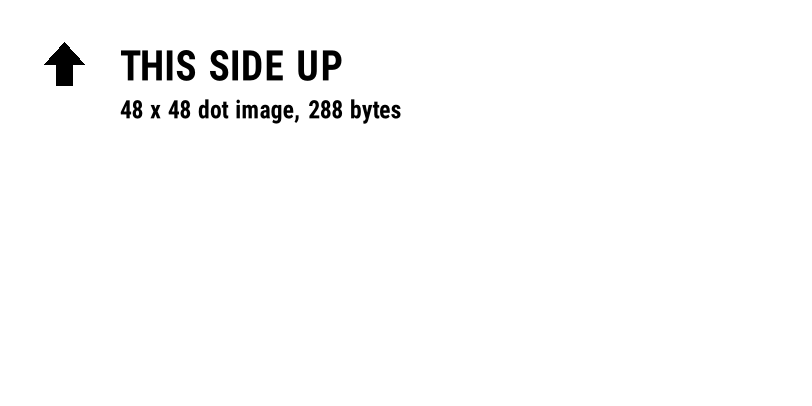
^XA
^FO40,40^GFA,288,288,6,000000000000000000000000000000800000000001C00000000003E00000000007F0000000000FF8000000001FFC000000001FFC000000003FFE000000007FFF00000000FFFF80000001FFFFC0000003FFFFE0000007FFFFF000000FFFFFF800001FFFFFFC00003FFFFFFE00007FFFFFFF00007FFFFFFF0000FFFFFFFF8001FFFFFFFFC003FFFFFFFFE007FFFFFFFFF00FFFFFFFFFF80000FFFF80000000FFFF80000000FFFF80000000FFFF80000000FFFF80000000FFFF80000000FFFF80000000FFFF80000000FFFF80000000FFFF80000000FFFF80000000FFFF80000000FFFF80000000FFFF80000000FFFF80000000FFFF80000000FFFF80000000FFFF80000000FFFF80000000FFFF80000000FFFF8000000000000000000000000000^FS
^FO120,50^A0N,40,40^FDTHIS SIDE UP^FS
^FO120,100^A0N,24,24^FD48 x 48 dot image, 288 bytes^FS
^XZ
The ^GF parameters
^GFA,b,c,d,data in the example is ^GFA,288,288,6,…:
| Parametr | Value here | Znaczenie |
|---|---|---|
a | A | Data format: A = ASCII hex, B = binary, C = compressed binary |
b | 288 | Bytes of data sent |
c | 288 | Total bytes of the image: bytes per row × rows |
d | 6 | Bytes per row: width in dots ÷ 8, rounded up |
| data | 576 hex digits | Two hex digits per byte, row after row, 1 = black |
For a 48-dot-wide image, 48 ÷ 8 = 6 bytes per row; 48 rows make 288 bytes, written as 576 hex digits. An image 50 dots wide needs 7 bytes per row (56 bits), and the last 6 bits of each row are padding.
d set to 7 instead of 6, this arrow turns into slanted bars; see distorted image.Make the data from a picture
This Python script, with Pillow, turns a PNG into a ^GF field. It converts to 1-bit with dithering off, so mid greys become black or white by a 50% threshold:
from PIL import Image

img = Image.open("logo.png").convert("L").point(lambda p: 255 if p > 127 else 0, "1")
width, height = img.size
per_row = (width + 7) // 8
rows = []
for y in range(height):
    row = bytearray(per_row)
    for x in range(width):
        if img.getpixel((x, y)) == 0:          # black pixel = printed dot
            row[x // 8] |= 0x80 >> (x % 8)
    rows.append(row.hex().upper())
total = per_row * height
print(f"^GFA,{total},{total},{per_row},{''.join(rows)}^FS")
Size the picture in dots before converting it: ^GF doesn't scale. A 20 mm logo is 160 dots wide at 8 dpmm and 240 at 12 dpmm. The full viewer has an Add image button that does this conversion for you.
Smaller files with Z64
Hex doubles the size of the image. Z64 compresses the bytes with zlib (deflate), encodes them in base64 and wraps them as :Z64:…:CRC, where the CRC is four hex digits. The 576 hex digits of the arrow become 130 characters, and the label is identical:
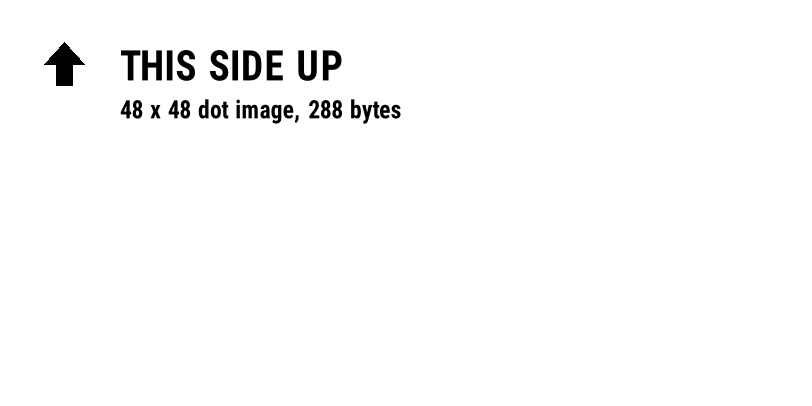
^XA
^FO40,40^GFA,288,288,6,:Z64:eNrFzLENwCAQBEEQASElUAqlmdIohRIICSyWP8kWcgW+YKLfd+6zKnyTocs4ZJoy38ey5IUEyzxYFsCyCJYlsCyDBQWWzuHVoHrZguxRjiTn8/M3zzYmonDc:5FB2^FS
^FO120,50^A0N,40,40^FDTHIS SIDE UP^FS
^FO120,100^A0N,24,24^FD48 x 48 dot image, 288 bytes^FS
^XZ
Z64 pays off for logos and large images; the saving depends on how much plain white or black the image has. The byte counts b and c keep their uncompressed values.
Store once, print many times
If every label carries the same logo, download it once with ~DG and print it with ^XG instead of repeating the data. On the API, the download and the labels must be in the same request, since nothing is kept between requests.
Pytania
Why does my ZPL image look like diagonal lines?
The bytes-per-row value doesn't match the data. It must be the image width in dots divided by 8, rounded up.
Can ZPL print a colour or greyscale image?
No. Thermal printers print black dots or nothing. Convert the image to 1-bit black and white; dithering can imitate grey.
How big can a ^GF image be?
As big as the label in dots. Large images make large labels: compress them with Z64, and keep the API's 1 MB request limit in mind.