Quiet zone
The quiet zone is the blank margin a scanner needs on each side of a barcode to find where it starts and ends. ZPL doesn't add it for you: a barcode placed at x = 0 starts at the very edge of the label.
Aktualisiert am 2026-10-20 · Renders made with the OpenZPL engine
Open in the viewerHow big it should be
Linear barcodes need at least 10 times the narrow bar width on each side; GS1 asks for more on EAN and UPC. In ZPL the narrow bar is the first ^BY parameter, in dots. With ^BY3 the minimum is 30 dots: 3.75 mm at 8 dpmm, 2.5 mm at 12 dpmm.
| Narrow bar (^BY) | Quiet zone (10×) | At 8 dpmm | At 12 dpmm |
|---|---|---|---|
| 2 | 20 dots | 2.5 mm | 1.7 mm |
| 3 | 30 dots | 3.75 mm | 2.5 mm |
| 4 | 40 dots | 5 mm | 3.3 mm |
QR codes need four modules of margin and Data Matrix one module, in their own module size.
Before and after
No quiet zone: ^FO0,60
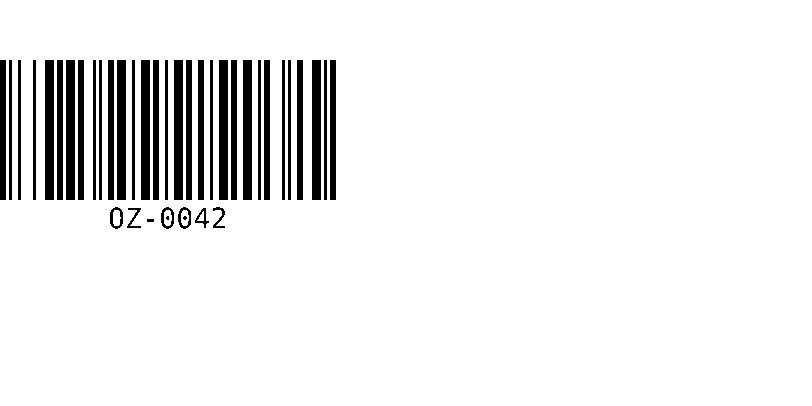
^XA
^BY3,3,140
^FO0,60^BCN,140,Y,N,N
^FDOZ-0042^FS
^XZ
80 dots of margin: ^FO80,60
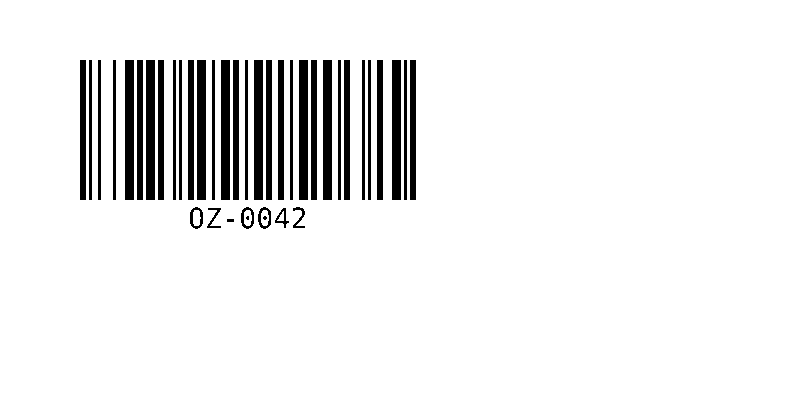
^XA
^BY3,3,140
^FO80,60^BCN,140,Y,N,N
^FDOZ-0042^FS
^XZ
The left render looks fine on screen, but on paper the first bar is at the cut of the label, and printer registration can move it a millimetre either way. Scanners often fail on that side only, which makes the problem look random.
Quiet zone and label margin
A label margin keeps ink away from the edge for the printer's sake; the quiet zone is for the scanner and also applies between a barcode and a box line or another field. See barcode not scanning for the other causes.