Code 128 barcodes in ZPL with ^BC
To print a Code 128 barcode in ZPL, set the module width and height with ^BY, then use ^BCN and the data: ^BY2,3,120^FO60,60^BCN,120,Y,N,N^FDOZ-2026-0042^FS. Code 128 encodes all 128 ASCII characters and packs digits in pairs, which makes it the usual choice for shipping and inventory labels.
2026-10-20에 업데이트됨 · Renders made with the OpenZPL engine
Open in the viewerGenerator
4 × 2 in label at 203 dpi. A preview shows how the printer draws the code; confirm with a scanner before printing a run.
The ^BC command
| 매개변수 | 그 기능 | 값 |
|---|---|---|
^BY w | Module width: the narrowest bar, in dots | 1 to 10; default 2 |
^BY h | Default bar height, in dots | default 10 |
^BC o | Orientation | N, R (90°), I (180°), B (270°) |
^BC h | Bar height, in dots | overrides the ^BY height |
^BC f | Print the human-readable line | Y or N |
^BC g | Print that line above the bars | Y or N |
^BC e | UCC check digit | Y or N |
^BC m | Mode | N none, U UCC case, A automatic, D UCC/EAN (GS1-128) |
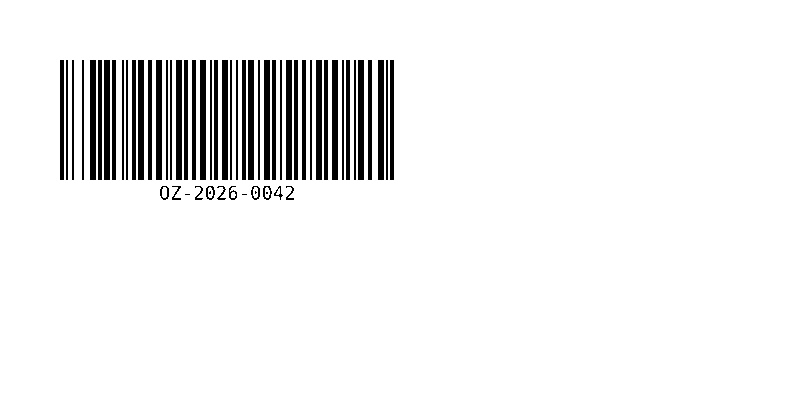
^XA
^BY2,3,120
^FO60,60^BCN,120,Y,N,N
^FDOZ-2026-0042^FS
^XZ
Width in dots
The width depends on the data and the module width. OZ-2026-0042 measures 334 dots at ^BY2 and 501 dots at ^BY3 (42 mm and 63 mm at 203 dpi). Never use a module width of 1 at 203 dpi unless you have checked that your scanner reads it.
Subsets and digits
Code 128 has three subsets: A (capitals and control characters), B (capitals and lower case) and C (digits, two per symbol). In mode N the printer follows your data as written, so digits are encoded one by one. Start the data with >; to switch to subset C, or use mode A to let the printer choose. Both make a numeric code much shorter:
Mode N: 334 dots wide
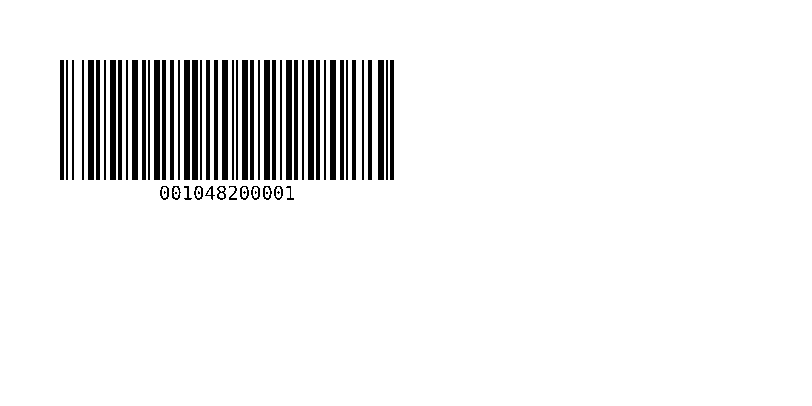
^XA
^BY2,3,120
^FO60,60^BCN,120,Y,N,N,N
^FD001048200001^FS
^XZ
Starting with >; (subset C): 202 dots wide
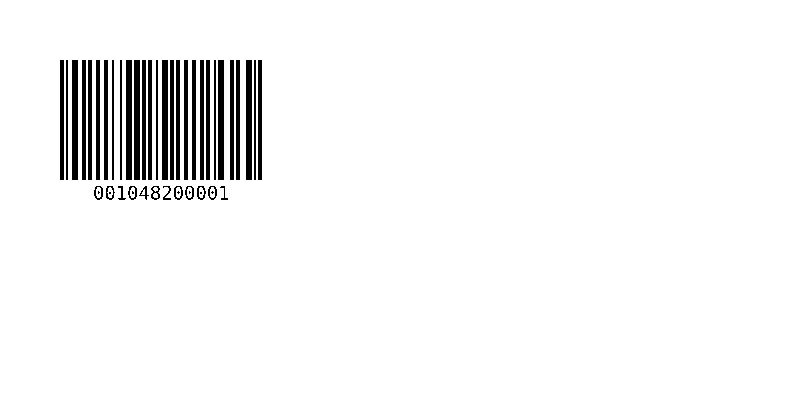
^XA
^BY2,3,120
^FO60,60^BCN,120,Y,N,N
^FD>;001048200001^FS
^XZ
Code in ^FD | Effect |
|---|---|
>; | Start in subset C (pairs of digits) |
>: | Start in subset B |
>9 | Start in subset A |
>8 | FNC1, used by GS1-128 |
GS1-128
Mode D writes a GS1-128 code: the data is a series of application identifiers in brackets, such as (01) for the GTIN and (10) for the batch. The printer removes the brackets from the bars, adds the FNC1 characters and keeps the brackets in the human-readable line. The example below decodes as a GS1 symbol (]C1). The meaning and length of each identifier are defined by GS1; check them before printing logistics labels.
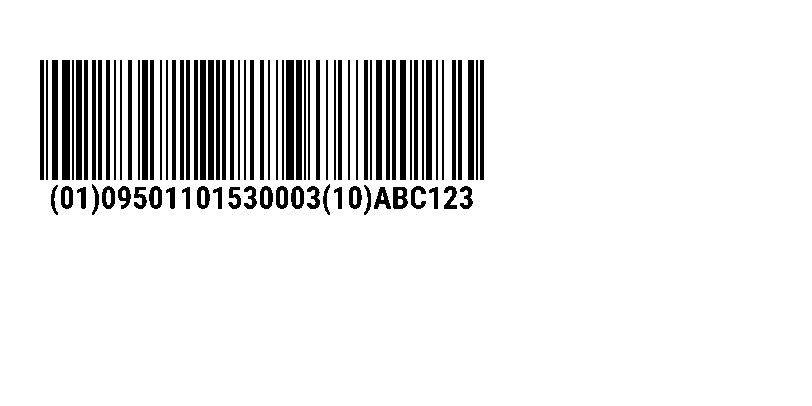
^XA
^BY2,3,120
^FO40,60^BCN,120,Y,N,N,D
^FD(01)09501101530003(10)ABC123^FS
^XZ
Invalid data
Code 128 accepts any ASCII character, so most data is valid. The exceptions are the ZPL control characters: ^ and ~ end the field instead of being printed. Escape them with ^FH; see special characters in data. Characters beyond ASCII, such as é, are not part of Code 128.
Check a barcode before printing a run
A preview shows how the printer will draw the code: bar widths, quiet zone and the human-readable line. It does not prove that every scanner reads it on your media. Print one label at the real density and scan it with the scanner your customer or carrier uses; for retail and logistics codes, a barcode verifier grades the print quality.
질문
How do I make a Code 128 barcode shorter?
Lower the module width in ^BY, or for numeric data start the field with >; (or use mode A) so digits are packed in pairs.
How do I hide the text under the barcode?
Set the third parameter of ^BC to N: ^BCN,120,N,N,N.