Print ZPL without a Zebra printer
To print a ZPL label on a printer that doesn't understand ZPL, convert it to PDF and print the PDF. The OpenZPL converter does it in the browser; print at 100% scale ("actual size") so the label keeps its dimensions.
تم التحديث في 2026-10-20 · Renders made with the OpenZPL engine
Open in the viewerWhy the printer prints code
Sending a .zpl file to an office printer prints the text of the commands, because only a ZPL printer interprets them. A PDF is already the finished picture, so any printer can print it.
Convert and print
- Open ZPL to PDF and paste the ZPL or open the file.
- Pick the label size and the density the ZPL was written for (most carrier labels: 4 × 6 in, 203 dpi).
- Download the PDF. It has one page per label, each page the size of the label.
- Print it with the scale set to 100% or Actual size, not "Fit to page".
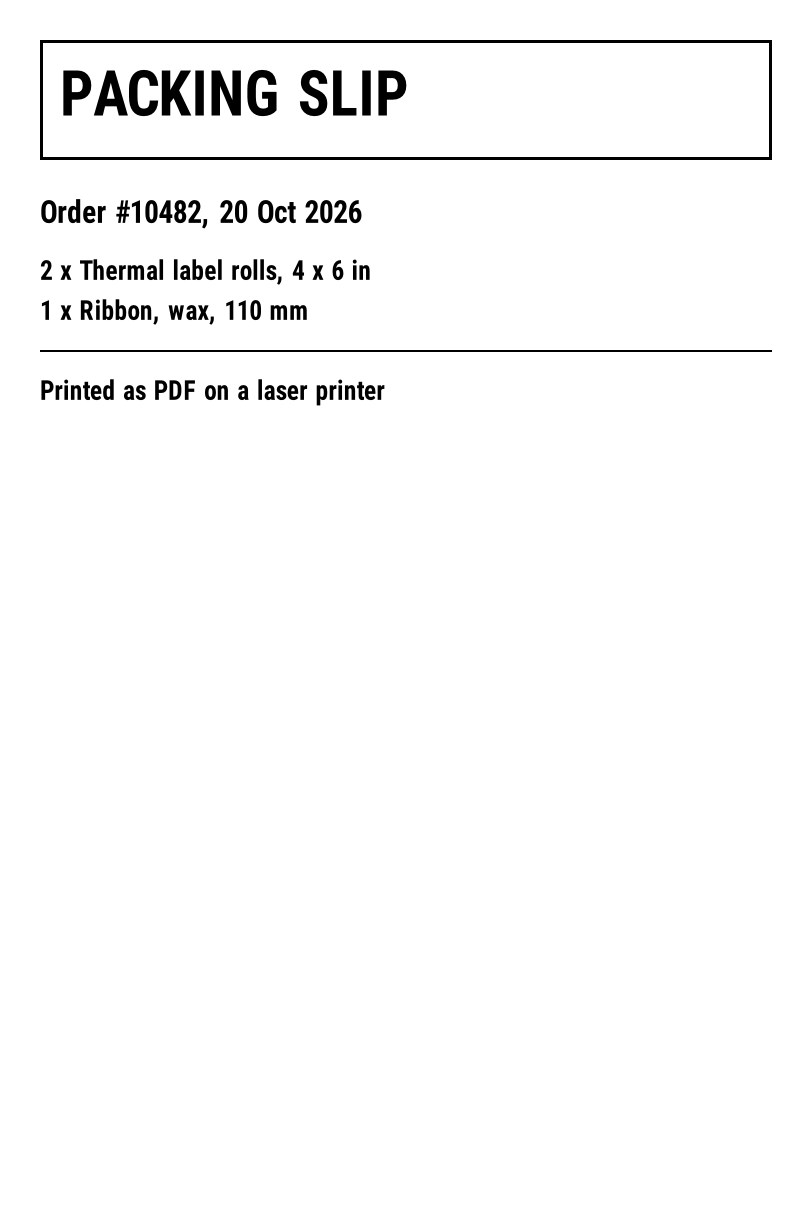
^XA
^CI28
^FO40,40^GB732,120,3^FS
^FO60,70^A0N,60,60^FDPACKING SLIP^FS
^FO40,200^A0N,30,30^FDOrder #10482, 20 Oct 2026^FS
^FO40,260^A0N,26,26^FD2 x Thermal label rolls, 4 x 6 in^FS
^FO40,300^A0N,26,26^FD1 x Ribbon, wax, 110 mm^FS
^FO40,350^GB732,2,2^FS
^FO40,380^A0N,26,26^FDPrinted as PDF on a laser printer^FS
^XZ
Print settings that matter
| Setting | Use | Why |
|---|---|---|
| Scale | 100% / Actual size | "Fit" shrinks or enlarges the label and can make barcodes unreadable |
| Paper | The label size, or A4 / Letter | On a sheet, cut along the label; the page is the label size |
| Orientation | As the PDF | Rotating in the dialog can crop the label |
| الجودة | Black and white, highest | Grey edges blur thin barcode bars |
For a sharper barcode on a laser printer, download the PDF made with 1-bit output: in the full viewer pick Bitonal, or send X-Quality: Bitonal to the API.
On a thermal printer that isn't ZPL
Many thermal printers sold for shipping labels print PDFs through their driver. Set the driver's paper size to the label (for example 4 × 6 in) and print the PDF at 100%. The printer prints what the PDF shows, so use the density the ZPL was designed for when converting.
From code
curl https://api.openzpl.com/v1/printers/8dpmm/labels/4x6/ \
  -H "Accept: application/pdf" --data-binary @label.zpl -o label.pdf
See the guides for Python or Node.js to do it inside an application.
أسئلة
Can I print ZPL on an HP or Brother laser printer?
Not directly; it prints the code as text. Convert the ZPL to PDF and print the PDF at actual size.
Why is my printed barcode the wrong size?
The print dialog scaled the page. Set the scale to 100% (Actual size) and the paper to the label size.
Will the barcode scan from a laser print?
Usually, if it's printed at 100% and in high quality. Check it with a scanner before printing many.