dpmm (dots per millimetre)
dpmm is the print density of a thermal printer in dots per millimetre: 6, 8, 12 or 24 on Zebra printers. Every ZPL coordinate is in dots, so the density decides how big a label designed in dots comes out on paper.
Atualizado 2026-10-20 · Renders made with the OpenZPL engine
Open in the viewerWhy it matters
ZPL has no centimetres or inches by default: ^FO100,50 means 100 dots from the left and 50 from the top. How long a dot is depends on the printhead. A layout written for one density prints smaller on a denser printer and larger, or cut off, on a coarser one.
Worked example
Dots = millimetres × dpmm. A 100 mm wide label is 800 dots at 8 dpmm and 1,200 dots at 12 dpmm. The same box of 400 × 200 dots is 50 × 25 mm at 8 dpmm and about 33 × 17 mm at 12 dpmm.
| dpmm | Printer name | Dots in 100 mm | Dots in 4 in (101.6 mm) |
|---|---|---|---|
| 6 | 152 dpi | 600 | 609.6 |
| 8 | 203 dpi | 800 | 812.8 |
| 12 | 300 dpi | 1,200 | 1,219.2 |
| 24 | 600 dpi | 2,400 | 2,438.4 |
Below, the same ZPL rendered on a 4 × 2 in label at both densities. The box keeps its 400 × 200 dots, so it covers less of the label at 12 dpmm.
8 dpmm (203 dpi)
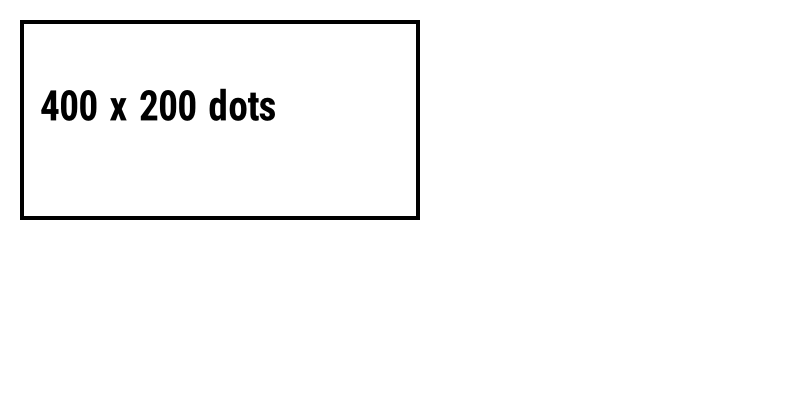
^XA
^FO20,20^GB400,200,4^FS
^FO40,90^A0N,40,40^FD400 x 200 dots^FS
^XZ
12 dpmm (300 dpi)
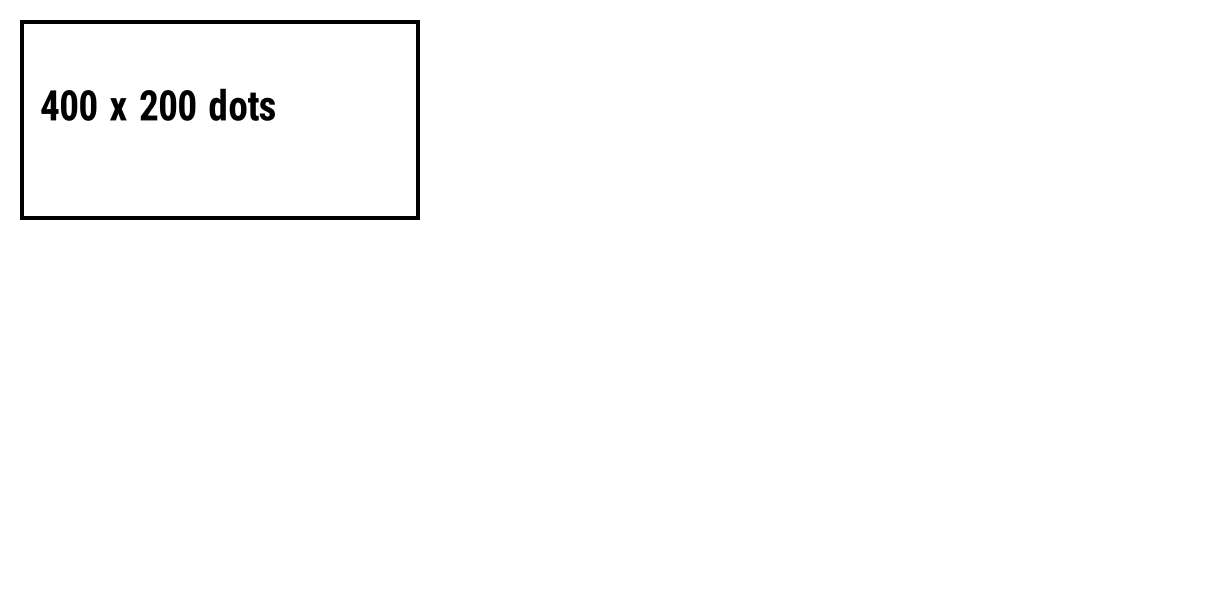
^XA
^FO20,20^GB400,200,4^FS
^FO40,90^A0N,40,40^FD400 x 200 dots^FS
^XZ
dpmm and dpi
dpi counts dots per inch, dpmm per millimetre; one inch is 25.4 mm. The OpenZPL API and Labelary's take dpmm in the URL (/v1/printers/8dpmm/…) because that is the unit the printhead is built in. See dpi for why 12 dpmm is sold as 300 dpi.
To move a layout between densities, scale every coordinate by the ratio (12 / 8 = 1.5), or write positions in millimetres with ^MU. The guide 203 vs 300 dpi walks through both.
Perguntas
How do I know my printer's dpmm?
Print a configuration label (hold the feed button on most Zebra printers): it lists the resolution. 203 dpi is 8 dpmm, 300 dpi is 12 dpmm, 600 dpi is 24 dpmm.